

Model families
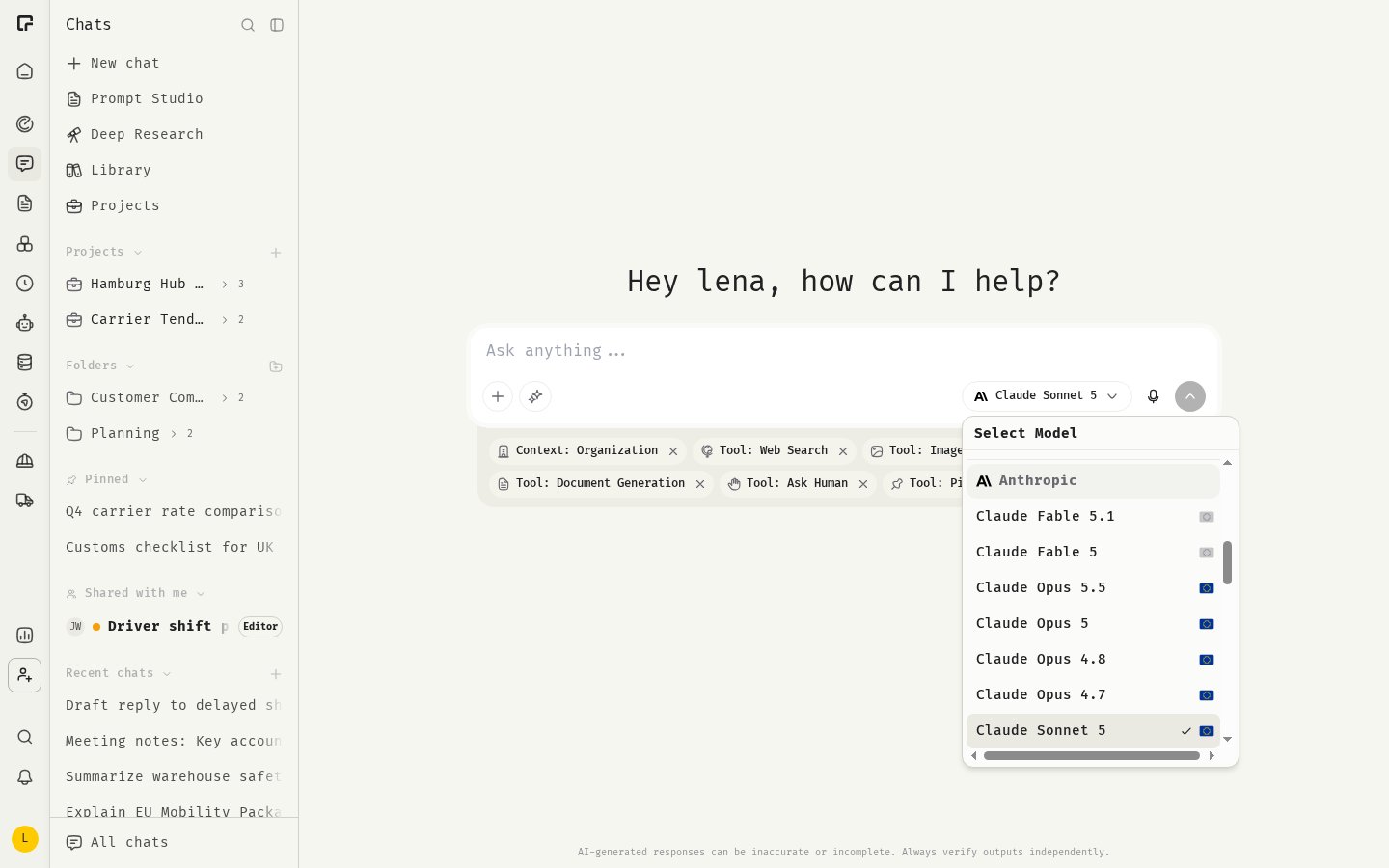
The model selector groups models by provider:
The exact list changes as providers release new models. The selector always shows what’s available to you.
Auto models
Auto models route each message to a suitable model: simple questions go to a fast, inexpensive model, complex tasks to a more capable one.- Auto (US) routes between models from OpenAI and Anthropic.
- Auto (EU) uses only models hosted in the EU, for data residency.
Choose a model
- Click the model name in the chat input to open the model selector.
- Hover over a model to see its description, Speed, Cost and capabilities: Vision, File Upload, Thinking and Web Search.
- Click a model to select it. Your next message uses the new model.
Which model for which task
- Everyday questions, drafts, translations: a fast model, or Auto.
- Analysis, long documents, complex reasoning: a more capable model with Thinking.
- Images and scanned documents: a model with Vision.
- Sensitive data that must stay in the EU: a model with the blue EU flag, or Auto (EU).
Thinking level
Models that support thinking reason before they answer. When you select one, the chat input shows a Thinking Level slider with Auto, Low, Medium and High. More thinking gives more thorough answers, but takes longer and costs more. You can set the default thinking level in Settings under Chats.Set your default model
- Open Settings and go to Chats.
- Under Default model, pick a model, or Platform default.
Related
Premium models
The most capable models on bigger plans.
Context window
How much a model can take into account.
Chat settings
Your default model and thinking level.
Data residency
Where your data is processed.