

Requires the Deep Research feature to be enabled for your organization. Ask your administrator if you can’t see it.
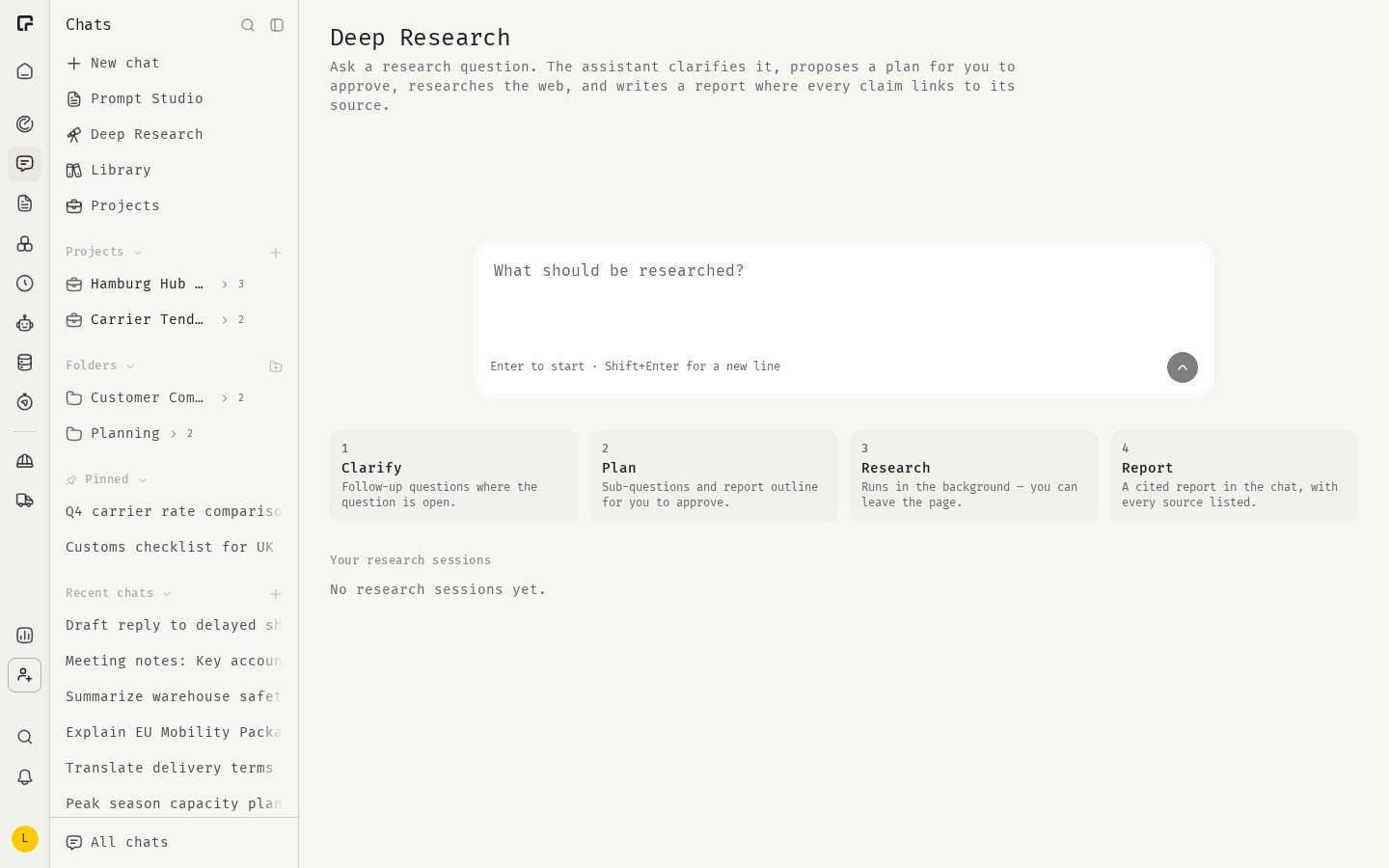
How it works
1
Clarify
The assistant asks follow-up questions where your question is open, for example about the region, time frame or purpose.
2
Plan
It proposes sub-questions and a report outline for you to approve.
3
Research
The research runs in the background. You can leave the page.
4
Report
You get a cited report in the chat, with every source listed.
Start a research session
- In the sidebar, click Deep Research.
- Type your question in the composer.
- Click Start research, or press Enter.
- “What are the requirements of the EU AI Act for companies that deploy chatbots for customer service?”
- “Compare the leading providers of electronic invoicing in Germany by features, pricing and market share.”
- “How has the market for heat pumps in Europe developed since 2022, and what are the forecasts?”
Review and approve the plan
The assistant answers the clarifying questions with clickable options. When it has enough information, it shows a Research plan card with:- Sub-questions: the questions it will research. Uncheck any you don’t need.
- Report outline: the sections of the final report.
- Depth: how thorough the research is. The assistant marks one as Suggested.
Standard and Deep also run follow-up research where the first round leaves gaps.
To start, click Approve and start research. To change the plan, reply in the chat, for example “Add a sub-question about pricing in Austria”. The assistant then drafts a new plan, and the old one is marked Replaced by a newer plan.
Follow the research
While the research runs, the card shows the current phase: Researching, Checking claims across sources and Writing the report, and the number of sources collected so far. The research continues if you close the page or switch to another chat. To stop early, click Stop. You then get a report that covers what was found until then.Read the report
The report appears in the chat, in the language of your question.- Each claim has a source marker. Hover over it to see the page title, address and an excerpt.
- A numbered source list follows the report.
- Claims that rest on a single source, or on sources that contradict each other, are marked as unverified.
- If some sub-questions could not be researched, the report says that parts may be incomplete.
Limits
- Deep Research uses public web sources only. It doesn’t search your files or connected integrations.
- If the time runs out, you get a report of what was found until then. If nothing citable was found, there is no report. Rephrase the question or pick a deeper setting.
- Deep Research chats can’t be shared yet.
Related
Web Search
Quick lookups in a normal chat.
Questionnaires
How clarifying questions work.