

Requires the Chat Sharing feature to be enabled for your organization. Ask your administrator if you can’t see it.
What members can share
The owner of a chat can share it with people or teams in the same organization:
They also choose a mode:
- Live: recipients see the chat as it continues.
- Snapshot of now: recipients see the chat as it is at that moment. Later messages stay hidden. Snapshots are always view-only.
Built-in limits
Sharing is not available:- when your organization has PII enforcement turned on,
- for Deep Research chats,
- for chats that don’t belong to an organization,
- when the chat’s owner is no longer a member of the organization.
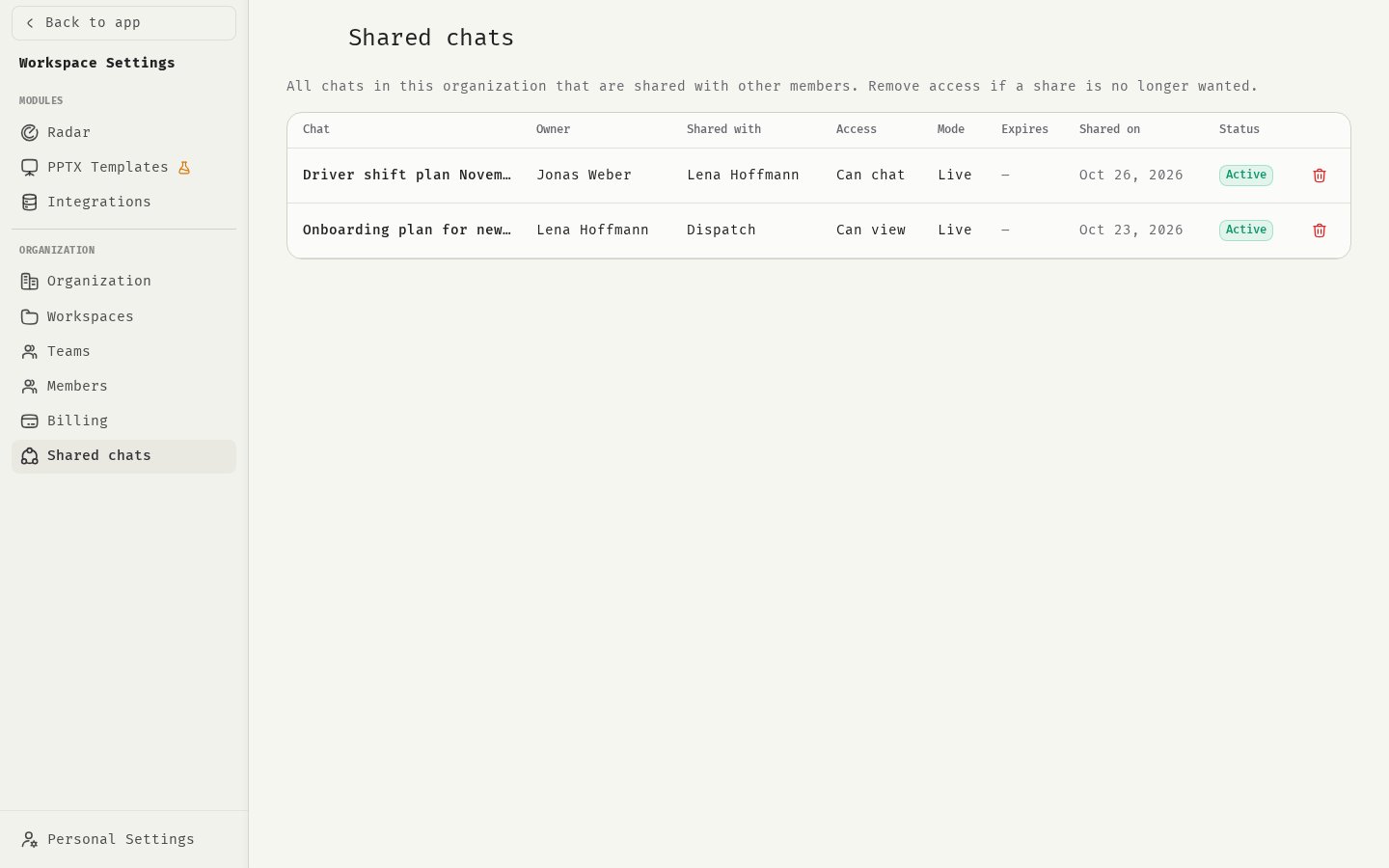
Review shared chats
- Open Settings and click Shared chats.
- Make sure the organization switcher in the sidebar shows the right organization.
Revoke access
- Find the share in Shared chats.
- Click Revoke.
- Confirm in Revoke access?
Other things members can share
- Assistants: visibility decides who can use an assistant. See Visibility and sharing.
- Skills: skills can be shared with teams. See Sharing skills.
- Governance: for rules on assistants and skills across the organization, see Assistants and skills governance.
Related
Sharing chats
How members share a chat.
PII enforcement
Why sharing is off with PII enforcement.
Audit logs
What is recorded.
Organization settings
Other organization settings.