

Requires the Editor feature to be enabled for your organization. Ask your administrator if you can’t see it.
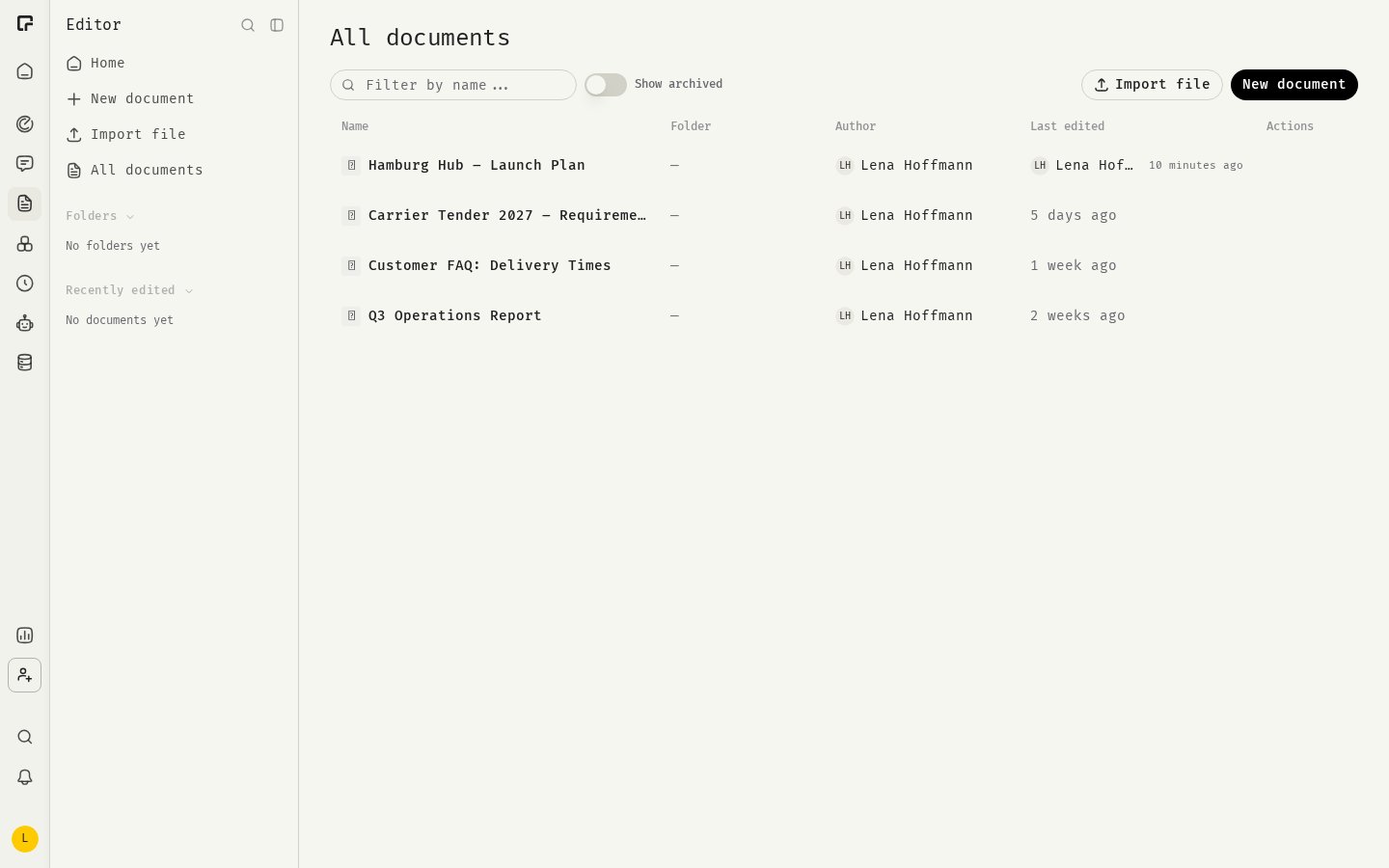
Create a document
- Open Editor in the main navigation.
- Click New document in the sidebar or on Home.
- Type a title on the first line, then start writing.
Import a file
Import turns an existing file into a new, editable document.- Click Import file in the sidebar, on Home or on the All documents page.
- Choose a file.
- Wait while 48° uploads and reads the file. The new document opens when it is ready.
Find documents
- Click Search documents in the sidebar header to search by name and jump to a document or folder.
- All documents lists every document with its Folder, Author and Last edited details. Use the search box to filter the list.
- Recently edited in the sidebar shows your latest documents.
Organize with folders
Folders appear in the sidebar under Folders. They are a single level: a folder holds documents, not other folders.- Create a folder: click Create new folder next to Folders, enter a name and confirm.
- Move a document: open the document’s menu and choose Move to folder. Choose No folder to take it out again.
- Rename or delete a folder: use the folder’s ⋯ menu. Deleting a folder keeps its documents; they become unfiled.
Document actions
Open a document’s menu by clicking its name at the top of the page, or with the ⋯ button on its row in the sidebar:- Rename
- Version history: see Revisions and restore.
- Move to folder
- Archive or Restore
- Delete
Archive or delete
Archive hides a document from your lists but keeps it, with its full history. To find archived documents, open All documents and turn on Show archived. Click Restore to bring one back. Delete removes the document and its full version history permanently. This can’t be undone, so archive instead if you only want it out of the way.Related
Introduction to the Editor
Writing, formatting and export.
Revisions and restore
Go back to an earlier version.
Supported file types
Which files 48° accepts.